Administration
Background Tasks
Monitor and manage background task processing
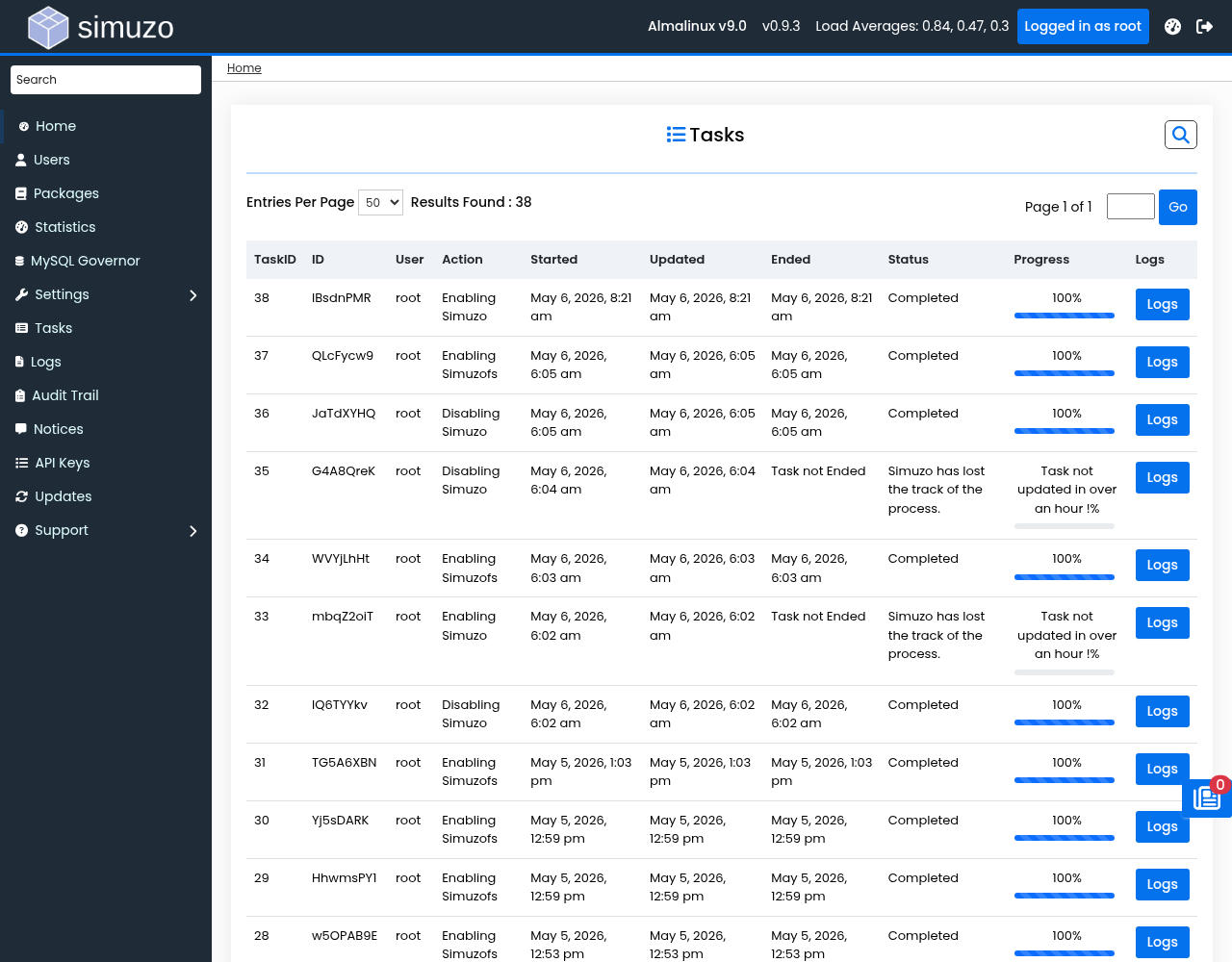 Tracking ongoing and completed background tasks and their execution logs.
The Background Tasks page allows administrators to monitor ongoing and completed tasks across the Simuzo system, including task progress, logs, and status information.
Task List View
The tasks list displays all background tasks with the following information:
- Task ID — Unique identifier for the task
- UUID — Associated user identifier
- User — Owner of the task
- Action — Type of operation performed
- Status — Current state (pending, running, completed, failed)
- Progress — Completion percentage or message
- Created — Task creation timestamp
- Started — Task execution start time
- Updated — Last status update time
- Ended — Task completion time
- IP Address — Source IP of the request
Filtering Tasks
You can filter the task list using the following parameters:
- User — Filter by username (partial match supported)
- Action — Filter by action type
- Task ID — Filter by specific actid
Task Status Values
| Status | Description |
|---|---|
| Pending | Task is queued but not yet started |
| Running | Task is currently being executed |
| Completed | Task finished successfully |
| Failed | Task encountered an error |
Task Detail View
Click on a task to view detailed information including:
- Full task logs with timestamps
- Error messages if the task failed
- Task data and parameters
- Export logs as HTML for support requests
Stale Task Detection
If a task shows the message "Simuzo has lost the track of the process", it may indicate a system issue. Check the task logs and consider restarting the background worker.
Exporting Task Logs
To export task logs as HTML:
- View the task detail page
- Click the Export action
- The browser will download a file with full task logs
API Integration
Task status can be retrieved programmatically via the API:
GET /api.php?act=get_status&actid=<task_id>Response includes:
status— Current task statusprogress— Progress messagetask_data— Full task information